
Whole Home Security System Installation: Pro Guide
A professional whole home security system installation professional guide covering wiring, cameras, contracts, and remodel timing. Call (833)-700-4293 for vetted local pros.
By Justin Blake
Learn more about Home Security and Alarms Install for guides, costs, and what to expect.
Compare Home Security and Alarms Install Pros Near You

Enter your ZIP code to compare top-rated local professionals and request free quotes.
A whole home security system is only as reliable as its installation. A top-tier panel and premium cameras mean little if sensors are misplaced, wiring is rushed, or the monitoring contract hides surprise fees. For homeowners planning a security upgrade, especially alongside a remodel, understanding the professional installation process is the difference between a system that quietly protects your family for years and one that generates false alarms, coverage gaps, and regret. This whole home security system installation professional guide walks through the decisions that matter: wired versus wireless architecture, camera and sensor placement, smart home integration, contract fine print, and how to coordinate security work with a larger renovation so you avoid rework and wasted spend.
Wired vs Wireless Architecture: What Changes During Installation
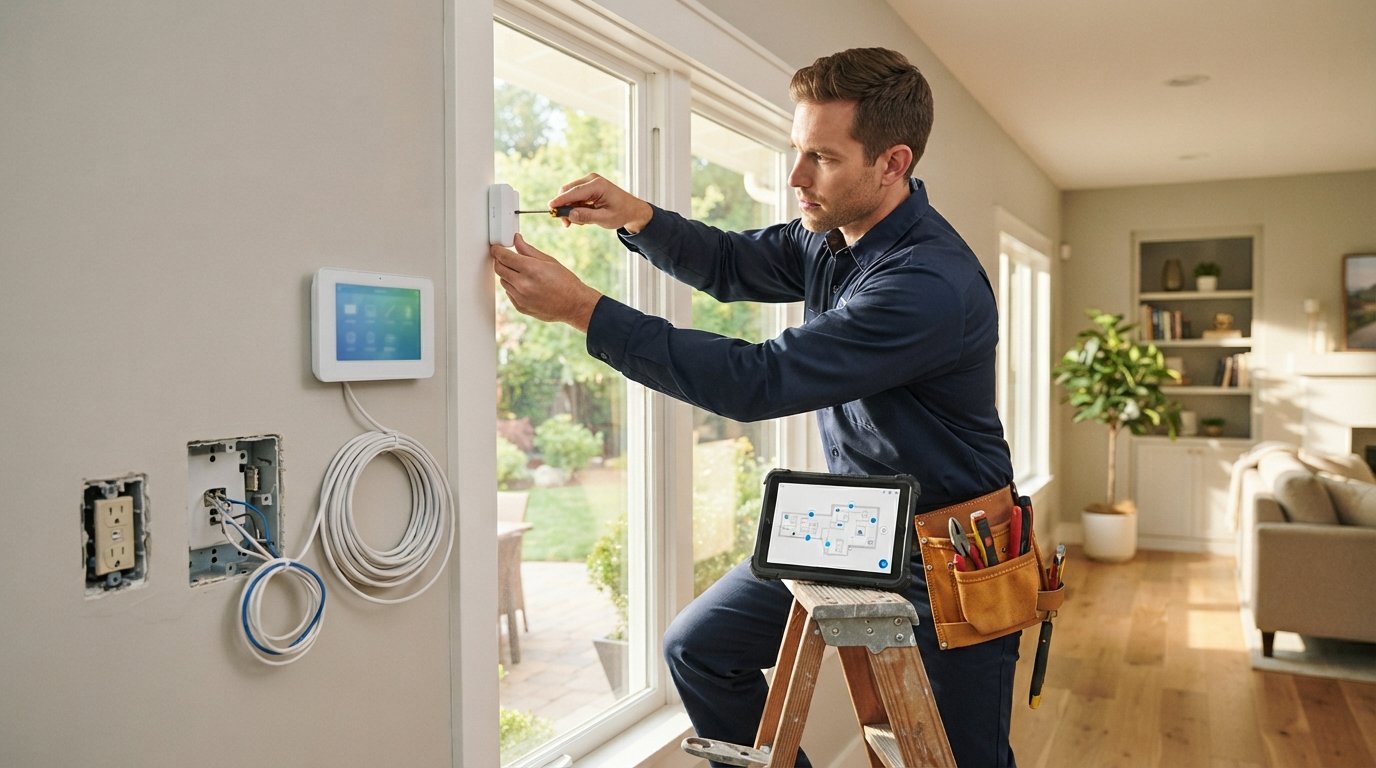
The first real decision in any professional installation is the system architecture, because it dictates how much labor, wall fishing, and finish repair the project requires. Wired systems connect sensors, keypads, and sirens back to a central panel through low-voltage cabling, usually run through attics, crawl spaces, and wall cavities. Wireless systems use radio frequency or Wi-Fi to link devices to the panel, which slashes labor time and avoids opening finished walls. Most modern professional installs are hybrid: a wired backbone for perimeter doors and the panel location, with wireless sensors for windows, garages, and outbuildings where running cable is impractical.
Installation complexity follows directly from that choice. A full wired retrofit in a finished home can take two to four days and may require drywall patching, paint touch-ups, and careful cable routing that a licensed low-voltage technician should handle. Wireless installs often finish in a single day, but placement matters more because signal strength, interference from metal appliances, and battery access all affect long-term reliability. Ask your installer which devices are wired, which are wireless, and where the panel and cellular backup will live. A panel tucked into a coat closet with poor ventilation or a backup communicator buried in a basement corner can undermine an otherwise solid design.
Power and network resilience deserve equal attention. Professional installers should confirm the panel has a dedicated circuit or a reliable outlet, a rechargeable backup battery sized for at least 24 hours, and cellular or dual-path communication so the system still reports alarms when the internet or power goes down. If you are also upgrading water systems during a remodel, the same planning discipline applies; our whole house water filtration system installation guide shows how early infrastructure decisions prevent costly rework later.
Camera Placement, Sensors, and Monitoring Decisions
Cameras and sensors are where design quality shows. A professional site survey should map entry points, blind spots, lighting conditions, and privacy boundaries before a single device is mounted. Door and window sensors belong on every ground-floor entry, with glass-break detectors in rooms with large windows and motion sensors positioned to avoid pets, HVAC vents, and direct sunlight. Cameras should cover the front approach, driveway, rear patio, and any side gates, with attention to height (typically 8 to 10 feet) so faces are captured without easy tampering. Video doorbells add value at the main entry but need adequate transformer power and stable Wi-Fi at the door, details a professional installer checks rather than assumes.
Monitoring is the other half of the decision, and it shapes installation because the panel, communicator, and sensor types must match the monitoring platform. Before signing, homeowners should compare self-monitoring apps, professional monitoring with cellular backup, and video cloud plans. Ask these questions before committing to any contract:
- What is the total monthly cost, and are equipment fees, activation fees, or video storage charges separate?
- How long is the agreement term, and what are the cancellation and early termination terms?
- Does the system use cellular backup, and is that included or an add-on?
- Who owns the equipment at the end of the contract, and can I take it to a new home?
- What is the response protocol, and how are false alarms handled?
Those answers matter more than a low introductory rate. A cheap first year can hide a multi-year lock-in with steep buyout clauses. Reputable installers will put monitoring terms in writing, explain the difference between equipment warranties and service guarantees, and confirm whether the system can be expanded later without replacing the panel.
Smart Home Integration and Wiring Coordination
Security systems increasingly share the home with smart hubs, voice assistants, smart locks, and lighting automation. The installation professional guide principle here is simple: decide on the hub and ecosystem before devices are mounted. A panel that integrates cleanly with your preferred platform can trigger lights, lock doors, and send video clips to a single app, but mismatched protocols (Z-Wave, Zigbee, Wi-Fi, proprietary wireless) can leave devices stranded on separate apps. Professional installers should document which devices use which protocol and confirm the panel supports the integrations you actually want, not just the ones in a brochure.
Wiring coordination is where remodels and security installs collide. If drywall is open, that is the moment to run low-voltage cable for cameras, keypads, and future sensors, even if you install wireless devices today. Conduit runs from the panel to the attic and from the attic to exterior camera corners cost little during a renovation and save hundreds later. Coordinate scheduling so the security rough-in happens after framing and electrical but before insulation and drywall, and confirm the alarm company and general contractor agree on who patches and paints. Homeowners planning broader upgrades can use a service like ContractorHomeQuotes to compare vetted local contractors and align timelines before work begins.
Network readiness is the quiet prerequisite. Cameras and smart panels consume bandwidth and need stable Wi-Fi coverage at the front door, garage, and backyard. Ask the installer to test signal strength at each device location and recommend a mesh node or hardwired access point if coverage is weak. A security system that drops offline because the doorbell camera sits at the edge of the router range is a common and preventable failure.
Coordinating Security Installation With a Larger Remodel
A remodel is the best opportunity most homeowners will ever have to install a whole home security system properly. Open walls allow clean cable runs, recessed sensors, and concealed conduit at a fraction of the cost of retrofitting a finished home. The practical sequence is: finalize the security layout during design, rough-in wiring during framing and electrical, install devices after painting and flooring, then test and program before the final walkthrough. Skipping the early coordination step usually means surface-mounted conduit, visible cable staples, or wireless-only compromises.
Communication between trades prevents the classic remodel headache: a painter who patches over a sensor hole or an electrician who steals the panel's dedicated circuit. Put the security scope in the construction schedule, name the responsible party for each step, and require the alarm installer to walk the site with the general contractor before drywall. If the project includes exterior work such as siding, roofing, or fencing, confirm camera and sensor locations before those trades close up walls and soffits.
Budget planning deserves the same rigor. Professional installation for a typical single-family home often ranges from roughly 1,500 to 4,000 dollars depending on wired versus wireless scope, camera count, and monitoring equipment, with high-end packages running higher. Get itemized quotes that separate equipment, labor, monitoring, and any permit fees, and compare at least three bids. A written scope that lists every device, cable run, and integration prevents the mid-project change orders that inflate costs.
Vetting the Installer and Protecting Your Investment
Licensing and insurance are non-negotiable. Depending on your state, alarm installers may need a low-voltage or alarm contractor license, and any contractor working in your home should carry general liability and workers compensation coverage. Ask for license numbers, verify them with the state or local authority, and confirm insurance certificates before work starts. A professional installer will also pull any required permits and schedule inspections, which protects resale value and ensures the system meets local code.
References and portfolio evidence matter, especially for integrated systems. Ask for recent installations similar to yours, review the workmanship, and confirm the company provides training on the app and panel at handoff. A thorough installer will test every sensor, demonstrate arming modes, label the panel, and leave documentation of device locations, zone assignments, and warranty terms. That handoff package is what lets you troubleshoot confidently and expand the system later.
Finally, treat the monitoring contract with the same scrutiny as the installation quote. Read the full agreement, confirm auto-renewal terms, and ask what happens if you sell the home. A well-installed system with clear terms protects your family, supports insurance discounts in many cases, and adds a tangible selling point. When the design, wiring, and contract are handled correctly, a whole home security system installation professional guide like this one becomes a checklist you can hand to any qualified contractor, with confidence that the result will perform for years.
Learn more about Home Security and Alarms Install for guides, costs, and what to expect.
Compare Home Security and Alarms Install Pros Near You
Enter your ZIP code to compare top-rated local professionals and request free quotes.