
How to Integrate Smart Locks and Cameras During a Remodel
Integrate smart locks and cameras during a remodel for seamless security. Call (833)-700-4293 to plan your project with vetted pros.
By James Morgan
Learn more about Smart Home Installation or Repair for guides, costs, and what to expect.
Compare Smart Home Installation or Repair Pros Near You

Enter your ZIP code to compare top-rated local professionals and request free quotes.
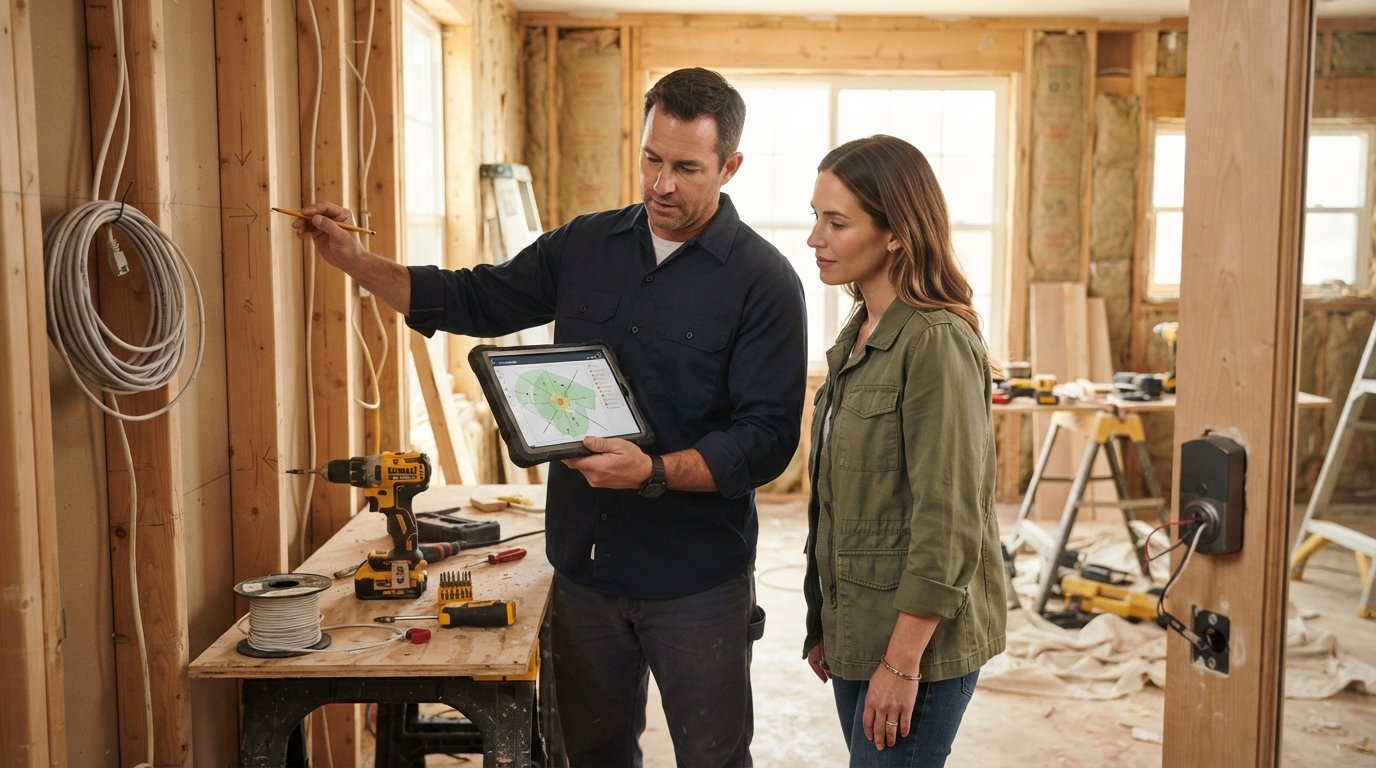
A remodel is the ideal moment to make your home smarter, safer, and more future-ready. When walls are open and doors are being replaced, you can integrate smart locks and cameras in ways that are nearly impossible (or far more expensive) to do later. Instead of retrofitting with battery-powered gadgets and exposed wiring, you can hardwire devices, hide cables, and plan coverage with surgical precision. This guide walks you through how to integrate smart locks and cameras during a remodel so you avoid common pitfalls, maximize security, and protect your investment from day one.
Start with a Security Plan Before Demolition Begins
The biggest mistake homeowners make is treating smart locks and cameras as an afterthought. By the time drywall is up and trim is installed, your options shrink dramatically. Before the first hammer swings, sit down with your contractor and map out exactly where every device will live. This planning phase should cover entry points, camera sightlines, power sources, and network infrastructure.
Walk the property and identify all exterior doors that need smart locks: front entry, back door, side garage entry, and any patio doors. For cameras, sketch a coverage map that includes driveways, walkways, porches, backyards, and blind spots like narrow side yards. Remember that a camera pointed at a wall is useless, and one aimed directly at the sun will wash out footage for hours each day. Proper placement planning now prevents costly rework later.
Don't overlook the interior. If you're remodeling a finished basement or adding a home office, consider whether you want indoor cameras for monitoring pets, kids, or package deliveries. Even if you skip indoor cameras initially, running conduit or leaving pull strings behind walls gives you flexibility down the road.
Door Preparation and Wiring for Smart Locks
Smart locks are not one-size-fits-all. Deadbolt-style smart locks replace your existing deadbolt and are the most common choice for standard doors. Mortise locks, often found in older or luxury homes, require different hardware and more precise door preparation. Lever-style smart locks work well for interior doors or accessibility needs. Know which type you need before you buy doors or have them prepped.
Door thickness matters more than most people realize. Standard deadbolts fit doors between 1-3/8 inches and 1-3/4 inches thick. If you're installing a custom solid-core or steel door, confirm compatibility with your chosen lock. Also check the backset (the distance from the door edge to the center of the bore hole), which is typically 2-3/8 inches or 2-3/4 inches. Getting this wrong means drilling new holes or replacing the door.
Power is the next consideration. Battery-powered smart locks are convenient but require periodic battery changes, and cold weather can drain them faster. Hardwired smart locks are more reliable but need low-voltage wiring run to the door frame. During a remodel, your electrician can run this wiring before drywall goes up. If you're installing a new front door, consider a door with integrated wiring channels or a jamb that accommodates low-voltage cable.
- Measure door thickness and backset before ordering hardware to avoid compatibility issues.
- Decide on power source (battery vs. hardwired) and coordinate wiring with your electrician early.
- Reinforce the door frame with a security strike plate and solid jamb to prevent kick-ins.
- Confirm smart home protocol (Z-Wave, Zigbee, Wi-Fi, Bluetooth, Matter) matches your hub or app ecosystem.
Finally, think about the door itself. A flimsy hollow-core door undermines even the best smart lock. If your remodel includes new exterior doors, choose solid wood, fiberglass, or steel with a secure frame. This is also the time to add weatherstripping and a door sweep to protect the lock's electronics from moisture and drafts.
Camera Placement for Full Coverage Without Blind Spots
Camera placement is both an art and a science. The goal is to capture faces, license plates, and activity without creating privacy issues for neighbors or capturing useless footage of sky and pavement. Start with the primary entry points: front door, back door, and garage. A camera at the front door should be mounted at roughly eye level (around 7 feet) and angled slightly downward to capture faces, not the top of heads.
For driveways and yards, wider-angle cameras (120 to 160 degrees) reduce the number of devices needed, but they distort edges. A common approach is a mix of wide-angle overview cameras and narrower-angle cameras for identification. If you have a long driveway, place a camera at the midpoint to capture vehicles entering and exiting. For side yards, mount cameras high and angled along the path rather than straight across, which creates a narrow field of view.
During a remodel, you can pre-wire camera locations with Ethernet cable (for PoE cameras) or run conduit for future upgrades. PoE (Power over Ethernet) cameras are ideal because they carry both power and data over a single cable, eliminating the need for nearby outlets. If you prefer Wi-Fi cameras, ensure strong signal at each location by planning mesh nodes or access points. Dead spots are common around garages and metal siding, so test signal strength before finalizing locations.
Don't forget about lighting. Infrared cameras work in the dark, but a well-placed motion-activated light improves image quality and deters intruders. If you're remodeling exterior walls, adding a junction box for a future security light is a smart, low-cost move. Also consider soffit and eave mounting for cameras to protect them from rain and direct sun.
If you're also planning storage upgrades during your remodel, our guide on smart storage remodeling to declutter your home offers ideas for integrating tech-friendly storage solutions that keep cables and equipment organized.
Network Bandwidth and Storage for Video Feeds
Smart cameras generate a lot of data. A single 4K camera streaming continuously can consume 10 to 15 Mbps of upload bandwidth, and multiple cameras can quickly saturate a typical home internet connection. During a remodel, upgrade your network infrastructure to handle the load. Run Cat6 Ethernet cable to key locations, install a network switch with enough ports for cameras and access points, and consider a dedicated VLAN for security devices to keep traffic separate from personal devices.
Storage is equally important. Cloud storage is convenient but comes with monthly fees and depends on your internet connection. Local storage via a network video recorder (NVR) or a network-attached storage (NAS) device gives you more control and no recurring costs. A hybrid approach (local primary storage with cloud backup for critical events) balances reliability and convenience.
For smart locks, bandwidth is negligible, but reliability is critical. Ensure your Wi-Fi network has strong coverage at every exterior door. A weak signal can cause locks to drop offline, forcing you to use a physical key. A mesh Wi-Fi system or a wired access point near the entryway solves this problem. If you're building a new network closet during the remodel, dedicate a shelf for the hub, NVR, and modem, and ensure proper ventilation.
Privacy and Data Considerations Homeowners Should Review
Smart locks and cameras collect sensitive data: who enters and exits, when, and sometimes video and audio of visitors. Before installing, review each manufacturer's privacy policy and data retention practices. Look for features like local storage, end-to-end encryption, and the ability to delete footage on demand. Avoid devices that require cloud subscriptions for basic functionality if you prefer to keep data on-site.
Camera placement should respect neighbors' privacy. Avoid pointing cameras directly into neighboring windows or yards. In some states, audio recording laws require consent from all parties, so check local regulations before enabling microphones. For smart locks, use unique PIN codes for family members and temporary codes for guests or service providers, and enable two-factor authentication on the associated app.
If you're working with a professional contractor, discuss who will have access to the system during the remodel. Change default passwords, set up a separate guest network for construction crews, and plan to reset credentials once the project is complete. Also consider how the system will be monitored: self-monitoring via app, professional monitoring, or a combination. Each has trade-offs in cost and response time.
Coordinating Installation with Locksmiths and Electricians
Integrating smart locks and cameras is rarely a solo job. A licensed electrician is essential for running new wiring, installing junction boxes, and ensuring code compliance. A locksmith can handle door preparation, lock installation, and keying, especially for high-security or mortise locks. Your general contractor should coordinate these trades so that wiring rough-in happens before drywall and lock installation happens after painting.
Create a schedule that sequences the work: rough electrical (including low-voltage wiring for cameras and hardwired locks) during framing, then drywall, then painting, then final trim and device installation. If you're hiring separate contractors, use a platform like Homes.Contractors to find pre-vetted electricians and locksmiths in your area. This directory connects homeowners with qualified professionals for security and smart home installations, saving you time and reducing the risk of hiring unlicensed help.
During installation, insist on testing every device before the crew leaves. Check that smart locks engage smoothly, that cameras stream without lag, and that all devices integrate with your hub or app. Get documentation for wiring diagrams and device credentials, and keep a record of warranty information. A final walkthrough with your contractor ensures nothing is missed.
Future-Proofing Your Smart Security Setup
Technology changes fast. A smart lock or camera you buy today may be obsolete in five years. Future-proof by choosing devices that support Matter, the emerging smart home standard, or at least a widely adopted protocol like Z-Wave or Zigbee. Avoid proprietary systems that lock you into a single vendor. When running wiring, add extra conduit and pull strings so you can upgrade cables later without opening walls.
Also plan for scalability. If you might add cameras to a detached garage or shed later, run conduit now. If you're considering a solar panel installation, coordinate with your security plan to avoid shading cameras or interfering with Wi-Fi signals. And if you're remodeling a home office, think about how smart locks and cameras integrate with your work-from-home setup, such as video doorbells that announce visitors on your computer.
Finally, document everything. Keep a binder or digital folder with manuals, warranty cards, installation diagrams, and login credentials. This documentation is invaluable when you sell your home, as smart home features can be a selling point if properly documented and transferable.
Integrating smart locks and cameras during a remodel is a smart investment in convenience, security, and resale value. By planning early, coordinating with professionals, and choosing future-ready technology, you can create a seamless system that protects your home for years to come. For homeowners ready to start their remodel, connecting with experienced contractors is the first step toward a successful project.
Learn more about Smart Home Installation or Repair for guides, costs, and what to expect.
Compare Smart Home Installation or Repair Pros Near You
Enter your ZIP code to compare top-rated local professionals and request free quotes.